Premium Business Templates in Excel: Streamlining Your Workflow
Running a business involves juggling a dozen different priorities at once. Between managing client relationships, tracking invoices, and organizing project timelines, it is easy to get lost in the administrative weeds. For freelancers, coaches, and small business owners, the goal is usually to spend less time on data entry and more time on actual work. This is where the value of a well-designed system becomes clear. Instead of starting from scratch every time you open a spreadsheet, having a structured framework allows you to maintain consistency and professionalism with minimal effort.
The Anatomy of a Useful Toolkit
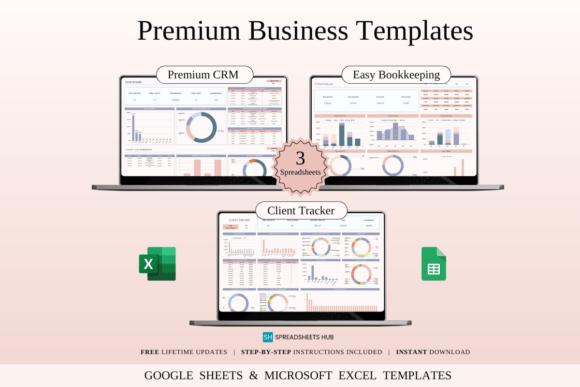
The Business Essentials Toolkit is a collection of three specific spreadsheets designed to cover the core operational needs of a service-based business. These are not just empty grids; they are functional tools built for Excel and Google Sheets. The appeal lies in the simplicity of the design. You do not need to be a data analyst to use them. The interface is clean, focusing on clarity so you can see exactly where your business stands at a glance.
The toolkit includes a CRM & Sales Pipeline Tracker, a Bookkeeping Spreadsheet, and a Client & Project Organizer. Each template serves a distinct purpose but works together to create a cohesive ecosystem for your business operations.
CRM & Sales Pipeline Tracker
Effective customer relationship management is the backbone of any growing business. This template allows you to log contact details, track the status of leads, and schedule follow-ups. Visually, it acts as a dashboard, giving you a high-level view of your sales journey. It helps prevent potential clients from slipping through the cracks by organizing your pipeline into manageable stages.
Bookkeeping Spreadsheet
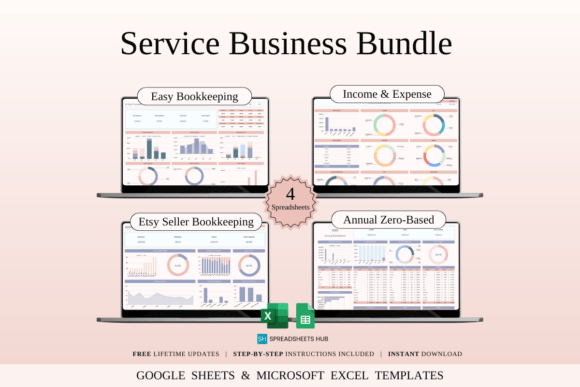
Financial clarity is non-negotiable. This sheet simplifies the process of logging income and expenses. By categorizing transactions as they happen, you avoid the panic that often accompanies tax season. It provides instant summaries, allowing for easy monthly reviews. It is designed to be functional rather than flashy, prioritizing data accuracy and ease of use.
Client & Project Organizer
Keeping track of multiple projects requires a central hub for information. This organizer consolidates client data, project timelines, deadlines, and notes. It ensures that when you switch between tasks, all the context you need is right in front of you. This contributes to a smoother workflow and a more professional experience for your clients.
Design Philosophy and Usability
When we talk about Premium Business Templates in Excel, we are often looking at the intersection of design and utility. A common pitfall with spreadsheet templates is over-designing them to the point where they become difficult to edit. The best templates strike a balance. They use formatting—such as color coding, bold headers, and clear borders—to create a visual hierarchy that guides the eye, but they leave enough white space to keep the data readable.
Think of these spreadsheets as design assets for your backend operations. Just as you would choose a premium font for your logo design to convey authority, you choose a robust template to convey operational competence. The "personality" of these tools is professional and organized. They are built to be customized; you can adjust the color schemes or add columns to fit your specific niche without breaking the underlying formulas.
Practical Applications Across Industries
The versatility of the Business Essentials Toolkit makes it suitable for a wide range of users.
- Freelancers and Solopreneurs: For those working alone, wearing all the hats is standard. These templates act as a virtual assistant, keeping the business side of things organized so the creative work can take center stage.
- Coaches and Consultants: Managing client sessions, payments, and scheduling requires precision. These sheets help maintain a clear record of engagements.
- Small Business Owners: Whether you are running a boutique agency or a local service, having a standardized way to track sales and expenses is crucial for growth.
Consider a graphic designer who also needs to manage their client intake. They might use the CRM to track leads coming from their portfolio site and the Project Organizer to manage revision rounds. Similarly, a content creator might use the Bookkeeping sheet to track ad revenue and sponsorship payments. The utility extends beyond traditional "corporate" businesses into the creative economy.
Integration and Flexibility
One of the main selling points of these templates is their compatibility with both Excel and Google Sheets. This dual compatibility ensures that you are not locked into a single ecosystem. If you prefer the offline robustness of Excel for heavy number crunching, you can use that. If you prefer the cloud-based accessibility of Google Sheets for collaboration or mobile access, the templates function there as well.
This flexibility mirrors the way modern brand identity works. Just as a brand needs to maintain consistency across web design and print design, your internal tools need to work wherever you are. The transition between the two platforms is seamless, meaning you do not lose formatting or functionality when switching.
Making the Most of Your System
To get the best results from Premium Business Templates in Excel, it helps to treat them as living documents. Here are a few tips for implementation:
- Regular Updates: Set aside time weekly to update your CRM and Bookkeeping sheets. A system is only as good as the data inside it.
- Customization: Do not be afraid to tweak the templates. If you need a specific column for "Referral Source" or "Project Status," add it. The structure is there to support you, not restrict you.
- Review and Reflect: Use the summary features in the Bookkeeping sheet to review your financial health monthly. This habit helps you spot trends and make informed decisions.
Ultimately, these tools are about removing friction. By having a reliable system for the administrative side of your work, you free up mental bandwidth. You can focus on delivering quality to your clients, developing new products, or simply enjoying a better work-life balance. The value of a good template isn't just in the cells and formulas; it's in the peace of mind it provides.